Gadgets
iPhone 4 / iOS4 New Features
This post is quite a bit late already as the iPhone 4 has been released a few months ago. However, I know the following are really useful bits of information, so read on! (Reference: iPhone Support documentation)
Antenna (low signal / dropped calls)
The iPhone 4 has a new Antenna system. If you are having reception issues, Apple recommends getting a bumper case that will help safeguard the antenna from touch. To avoid poor reception issues if you don’t want to use a bumper case, make sure you hold the device by not touching the area where the black strips are at the bottom of the unit. It is also recommended to update it to iOS 4.01 or above which corrects an abnormality in the signal strength meter.
Cellular Data
iOS4 includes a new feature called Cellular Data – it allows you to turn off DATA CONNECTIVITY while still being able make and receive voice calls and using SMS. This is good if you are one of those users who wish to turn off data to conserve battery life or to safeguard against accidental roaming charges. When this option is OFF, you will not be able to use MMS, Tethering, use Visual Voicemail (the phone will still allow you to call into your voicemail box from the voicemail screen), and any application that requires data or location services will not function.
FaceTime
FaceTime is Apple’s new video calling feature, which is only available if you and the person you’re calling has an iPhone 4 as it requires the front facing camera. At the moment it only works through WiFi – 3G service is expected to be coming later this year (with Rogers Wireless users). If you are experiencing issues placing a call after porting your number, follow the steps HERE.
Should you have issues placing FaceTime calls and are behind a firewall, make sure you enable port forwarding for the following ports 53, 80, 443, 4080, 5223, and 16393-16472 (UDP). Refer to your router manufacturer for assistance or to your local IT Group.
Picture Restrictions
You can only copy five images at a time into an email. You can also now share up to nine images via MMS and five via email.
Voicemail Info (VMRN – Voicemail Retrieval Number)
| Check Current VMRN | *#5005*86# call | |
| Set Visual VMRN | *5005*86*+16478029327# call | (This is for Rogers iPhone users only. You may need to use a different VMRN. Contact your service provider.) |
Text Message
| Set Service Centre # | *5005*7672*+17057969300# call | (This is for Rogers iPhone users only. Contact your service provider for applicable SMSC#.) |
VPN Access (requires the Public IP Service)
| APN: vpn.com | Username: wapuser1 | Password: wap | (This applies to Rogers iPhone users only.) |
Other Useful Links and Support Tools
| iTunes Account and Purchasing Issues | 1-800-MYAPPLE |
| Apple Support and Tutorials | http://www.apple.com/support/iphone/ |
| Apple Expert (1×1 Phone Call) | http://www.apple.com/support/expert/ |
| MobileME Support | http://www.apple.com/support/mobileme/ |
| iPhone Troubleshooting Assistant | http://www.apple.com/support/iphone/troubleshooting/ |
| General iPhone Troubleshooting | http://support.apple.com/kb/TS2802 |
| Multitasking (iOS4) | http://support.apple.com/kb/HT4211 |
| MMS Issues | http://support.apple.com/kb/TS2755 |
| iOS4 User Guide | http://manuals.info.apple.com/en_US/iPhone_iOS4_User_Guide.pdf |
| Purchasing and Creating Ring Tones | http://support.apple.com/kb/HT1398 |
| Warranty Validation | https://selfsolve.apple.com/agreementWarrantyDynamic.do?newid=y |
What to Do in Case of iPhone Mail Glitch
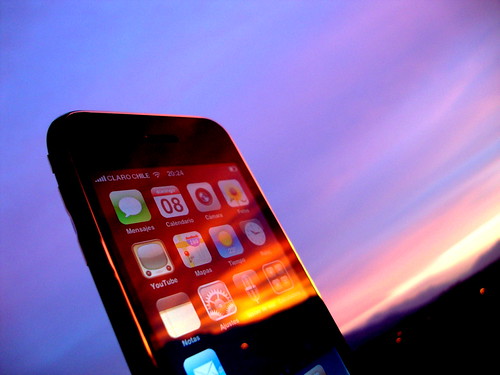 The Apple iPhone is a really useful gadget for checking email on the go. I find that as with all gadgets, it tends to have some glitches, too. One of them involves the Mail application on the iPhone.
If you are an iPhone owner and if you ever experience that you touch the Mail app to open it but it just won’t seem to open, fear not, there is a solution to to this. Be aware though that this solution cannot be guaranteed to work for all iPhones that experience this problem. And if that’s the case, hopefully you’re still in warranty to have the phone replaced.
Here are some problem scenarios you may encounter with the iPhone:
- You touch the Mail app, it opens for like half a second, then exits and goes back to the Home Screen on its own.
- You open the Mail app, then delete an email on your Inbox. You press the Home Screen button to exit. You open up the Mail app again; that email you deleted is back like you never deleted it at all.
What’s probably happening is one of the following things:
- You have an email with a very large attachment.
- You may have a corrupt email on the mail server.
- You have a bounced-back email (undeliverable mailer daemon email).
So here’s what you can do to try to fix this.
On your computer:
Delete the email with the large attachment from the mail server, or save it somewhere else.
Delete the spam email.
Delete the undeliverable mailer daemon email.
Make sure they’re also deleted from the Trash/Deleted Items folder.
On your iPhone:
Go to Settings > Mail, Contacts, Calendars. Select your mail account. Scroll to the bottom and select Delete Account.
Go back to Settings > General > Reset > Reset All Settings. This will restart your iPhone.
When the iPhone is loaded up again, re-add mail account by going to Settings > Mail, Contacts, Calendars > Add Account.
Once mail account is saved, press Home Screen button and go to Mail to check if it’s working.
If you’re still encountering the same problem, you will have to Restore as new iPhone through iTunes. This will delete all your data on the phone so make sure all your data is backed up and synced to iTunes on your computer. Also, update the iPhone firmware to the latest if you don’t have it yet.
Once Restore is done, re-add mail account. If the problem still persists, iPhone is defective and will need to be replaced.
Photo Credit: Gonzalo Baeza Hernández
Google Nexus One Phone
 Google has released the Nexus One 3G phone last Wednesday, March 16th, and is available for use on the Rogers Wireless network in Canada. It is an unlocked phone which doesn’t come with any SIM card or wireless plan, so you can basically use this anywhere in the world that operates the 3G/UMTS bands (850/1900/2100 MHz) and GSM radio frequencies (850/900/1800/1900 MHz).
It’s a 3.7 inch (diagonal) touchscreen phone with a 5 megapixel camera with geotagging capability. Operating system is Android Mobile Technology Platform 2.1 (Eclair). It has WiFi and Bluetooth capability, AGPS receiver, Digital compass. It has 512 MB RAM, 512 MB Flash, and up to 32 GB Micro SD Card capacity. Talk time is up to 7 hours on 3G, 10 hours on 2G, internet use up to 5 hours on 3G, 6.5 hours on WiFi.
The current price? $529.00.
When you order the phone, it gives you an option to have a personalized engraving. Engraved phones cannot be returned for a refund, though, so just be sure the spelling is right and that you really want to keep this phone before buying.
Currently, if I decided to buy a new phone right now, I’d still choose the BlackBerry Bold 9700 over this one, though. But that’s another story for another day.
Click HERE to check out the Google phone.
Thumbs Down for Pink LG Neon TE365
Whenever I see a pink gadget, like a cellphone for instance, I usually am intrigued by it and would so love to own it and play with it.
Unfortunately, there’s this one pink phone that I do not like at all. It is cute, yes, but unfortunately, this phone is of very poor quality. 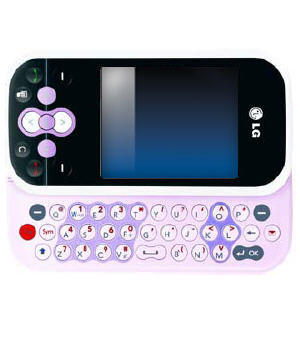 This phone is the LG Neon TE365 phone. It comes in other colours, too. I just wanted to specifically mention this phone because it comes in pink, which is what I am easily attracted to.
I have talked with a lot of people who own this phone and the most common problem with it is that the phone keeps freezing a lot. It could be you’re making a call, typing a text message, browsing the internet, or even not doing anything at all and the phone would just freeze on you. Some people would say that they just put the phone in their pocket and then when they took it out, toink, it’s frozen.
Another problem is that this phone would just randomly turn off on its own. Same situation, whether you’re doing something or not doing anything at all.
When these happen, the solution would be is to bring the phone in for repair back to the manufacturer. But actually, even if the phone is “repaired” already, it still tends to have the same problems.
Third common problem? The keyboard gets stuck or doesn’t slide properly.
I’m wondering why they still even sell these phones. By the way, other LG phone models may tend to have the same set of problems, too, so be cautious in your decision to purchase any LG phone.
I’m sorry, LG, you know that’s the reality.
iPhone 3GS vs iPhone 3G
As far as I can recall, a couple of people have asked me what’s the difference between the iPhone 3G and iPhone 3GS. My answer? The iPhone 3GS is faster (S is for speed!). And it also has the Compass feature. Okay, not such a good answer, eh? I should’ve expected this question to come up at any time and should’ve taken note of the things that make the 3GS better than the 3G.
According to Apple, iPhone 3GS is “the fastest, most powerful iPhone yet. Now with built-in video camera, Voice Control, longer battery life, and more.”
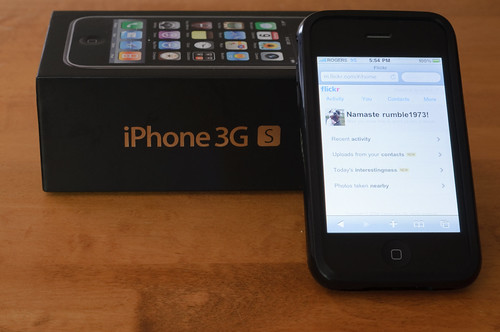 The 3GS camera is 3 megapixels, has autofocus, and video recording. On the other hand, the 3G has only 2 megapixels. Other new features of the 3GS include improved performance (faster!), voice control, and compass. Five other features that come with the latest version software (3.0 and later) include Cut, Copy & Paste, Messages, Spotlight Search, Landscape Keyboard, and Voice Memos.
Battery life for the 3GS is also better with the following differences: Talk time is up to 12 hours on 2G (compared to 10 hours on the 3G), WiFi internet use up to 9 hours (compared to 6 hours on 3G), audio playback is up to 30 hours (compared to 24 hours on 3G), and video playback up to 10 hours (compared to 7 hours on 3G).
Those are basically the differences between the two. Oh and just a note, by looking at the two, there’s no physical difference really. To distinguish between the two, you can take a look at the back. The iPhone label at the back for the 3G is in black, while the 3GS is in chrome just like the Apple logo.
To learn more about how to do everything on the iPhone, go HERE.
Photo Credit: CGehlen
 Tech-Life in Pink