Gadgets
iPhone 6 vs Android
Apple has just released the latest in their iPhone line, the iPhone 6 and iPhone 6 Plus, last Friday, September 19, 2014. I’m not an Apple fanatic but I do enjoy playing around with Apple products. I do have an iPad, an iPod Touch, and an iPod Nano, but that doesn’t make me Apple crazy. I use the Touch and the Nano for listening to music, and the iPad was a gift which I am using right now to write this blog post. I’ve never had and I don’t think I ever will buy the iPod Touch or iPod Nano as new; I usually buy these Apple toys in “excellent used condition” mainly for a better price deal. For a phone however, I rather use an Android and wouldn’t mind paying for it brand new. Why? I think Android phones have better specifications and features than iPhones.
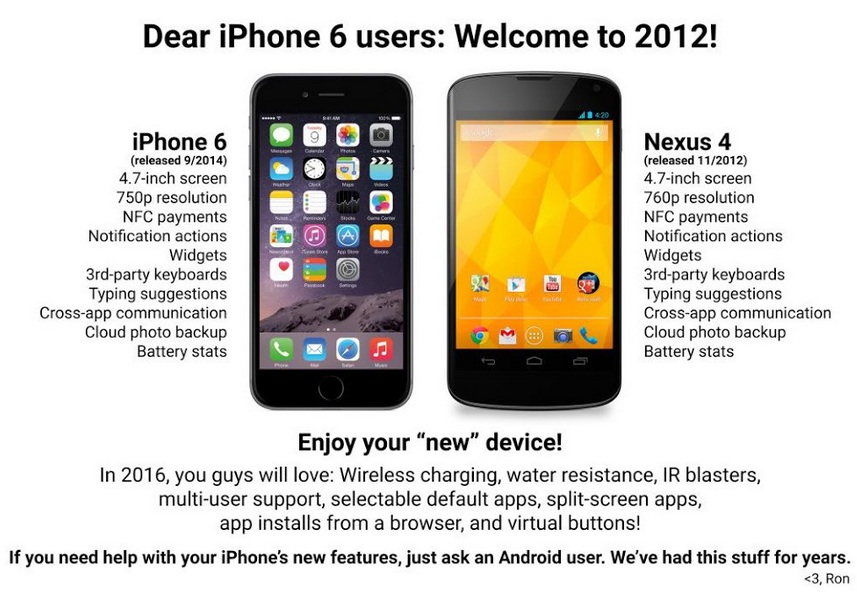
When the Android community released an infographic comparing the iPhone 6 with the Android two weeks ago, I found that funny. It is amusing to point out that many of the features in the new iPhone have already long been available to Android users. See the infographic below.
The iOS community responded with also an infographic pointing out that some features that iPhones have had for some time are just going to be released in the Android L software version. See the infographic below.
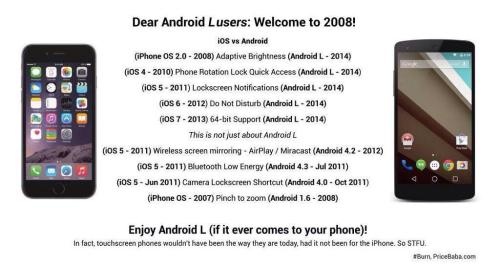
Even though both sides have come out with features ahead of the other, I still think the features that were released first in Android were more significant than those which were released first in iOS. Like for example, Cloud photo backup is a definite useful feature and it’s awesome to know Android had it first, compared to the Phone rotation lock quick access feature available in the iOS first, which I think isn’t that big of a deal. But that’s just my opinion.
What do you think?
Tennis, Anyone?
Today is the last day of the 2014 U.S. Open Tennis Championships. Congratulations to Serena Williams who won the Women’s Singles title, beating Caroline Wozniaki yesterday Sunday, September 7th. Congrats go out as well to the other title winners. Hopefully, one day, my fellow Canadians Eugenie Bouchard and Milos Raonic will win as well.
 So, speaking of tennis, I started playing tennis only this year, thanks to my co-workers one Friday in January; and ever since that time, I’ve been hooked. My only experience in tennis before this time was a short “game” with my best friend back in high school, and also playing the Nintendo Family Computer tennis video game when I was a kid. Game is in quotes since it barely counted as a game because I remember we barely could even hit the ball properly nor get it to one another’s side of the court.
The racquet that I currently use is a 2011 Babolat AeroPro Drive racquet loaned to me by my co-worker. Even after several months of playing, I still have not gotten my own racquet since I haven’t found one that I liked at the price point I have in mind. Anyway, after much thought, I’ve decided that I should just probably get the newer version of the Babolat AeroPro Drive racquet since I have gotten used to it and I like how it feels when I play. Oh and apparently, this is the same racquet that Genie Bouchard uses, so hopefully one day I get to play as well as her — wishful thinking!
 There are some new technologies that have been developed to help tennis players in assessing and improving their game. One of these is the Babolat Play Pure Drive racquet. The racquet has integrated sensors inside the handle which collects your swing, motion, and other information and gives out an analysis of your game. The racquet would be nice to have, but I personally wouldn’t buy it due to a higher price of about $450 compared to regular racquets ranging from $100-$200 which are good enough for a beginner.
 Another new gadget is the Sony Smart Tennis Sensor which is a small coin-sized device which you can attach to the base of a tennis racquet. Same as the integrated sensor in the Babolat Play Pure Drive, it gathers data on serves, ball speed, accuracy, and other information and will give you an analysis of your game. All these information can be displayed real-time on your smartphone via Bluetooth. This one, however, will not yet be available until January 2015 with a price of about $200.
The above are just a couple of the latest technologies that are available out there for tennis players. But really, if you’re not planning to be a tennis professional, I personally don’t think it’s really necessary to have these. I wouldn’t mind receiving any of these as a gift though!
By the way, here’s a picture of me with Roger Federer.

I wish.
Reading on a Kindle
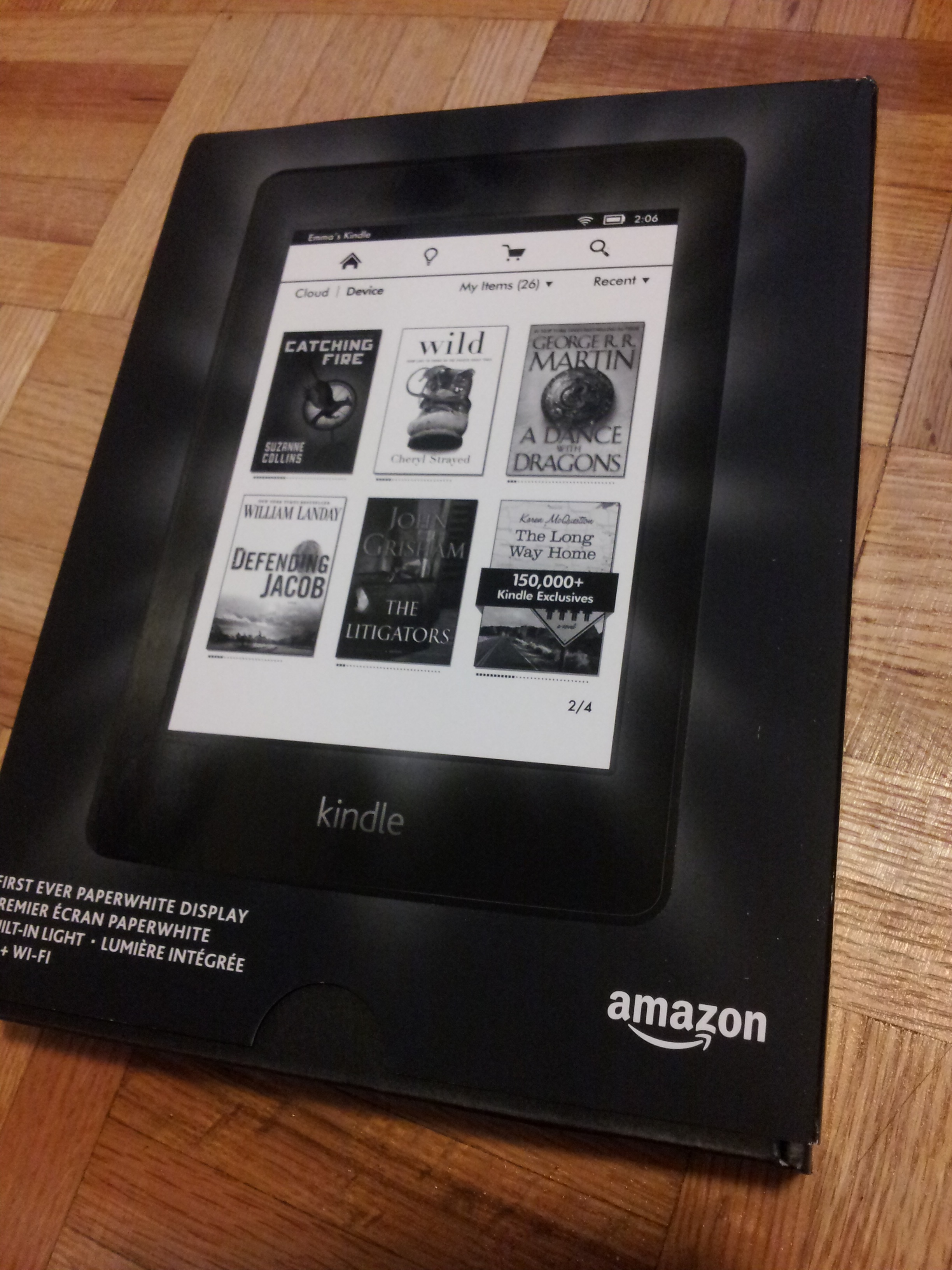 Last year in September, I received an Amazon Kindle Paperwhite ebook reader for free from Rogers for being one of their loyal customers. At first I wasn’t sure if I will actually be able to use it since I already had some tablet devices which I can use for the same purpose. Anyway, I tried using it, and it turns out I loved it! It is much better to use than the seemingly brighter-screened iPad or Nexus tablet. The screen can be as bright as the tablets but it is softer on the eyes, like reading on white paper, hence the name.
The Kindle Paperwhite measures 6.7 x 4.6 x 0.36 inches, weighs 7.6 ounces, has 212 pixels per inch, and has 16 levels of grey. It has a smooth rubberized coating that gives the user a good grip on it. This is especially helpful to me because I tend to have slippery fingers. In terms of connectivity, the device is WiFi compatible and has 3G cellular connectivity. Apparently, connecting to the Rogers network is free, however the connection can only be used to access the Amazon store to browse and/or purchase ebooks.
 Aside from the native Kindle formats AZW and AZW3, the Kindle Paperwhite also supports PDF, MOBI, TXT, PRC, DOC, and DOCX files. Internal storage is 2GB, which can hold around 1,000 books! If only all the hardcover and paperback books I own are stored as ebooks as well, it would surely be awesome. Speaking of which, I still have a whole bunch of books (fiction, inspirational) that I bought from a library sale about a couple years ago which I still have not read. I do not know when I would have the time and chance to read them at the moment.
On my Kindle, I currently have an ebook which I still haven’t finished reading for months now. The only times I have been reading the book is basically when I am riding the public transit (bus/subway). There were a few times before that I would read in bed, but I’m not really in a hurry to finish my current book so I’ll just leave it till my next bus ride (whenever that is — maybe this weekend).
Reading on a Kindle or reading a physical book — I love both but the Kindle is more practical for me nowadays. How about you?
Working Out with My Pink iPod Nano
I used to have a 2nd generation pink iPod Nano but I sold it on eBay. I didn’t really need it because I had an iPod Touch, and carrying my Samsung Galaxy S3 phone with me while I went jogging/running was already sufficient. However, a few months ago in January, I started going to the gym. Taking my phone with me while I worked out was kind of a hassle, so I decided to get myself something smaller to accompany me with music while working out. I considered getting an iPod Shuffle since it only cost $49, but then thought maybe the latest generation iPod Nano would be nicer. But then I checked the price, and thought I really didn’t want to spend $149 for it. Then I remembered, wasn’t there an iPod Shuffle that had a touch screen before? I searched online for it and found that it wasn’t actually a Shuffle, but a Nano – the 6th gen! I was hoping Apple would have a refurbished one available on their site but there was none. Lucky me, I found several on eBay in excellent used condition and a pink one at that! The price wasn’t too bad as well, definitely cheaper than a current generation one, and so I bought it.
 The 6th generation iPod Nano measures 1.48 x 1.61 x 0.35 inches and only weighs 0.74 ounces. The one I got has 8GB in capacity, however it is also available in 16GB. The display measures 1.54 inches diagonally with 240×240 pixel resolution. Some of the audio formats supported include AAC, MP3, AIFF, and WAV. What I like about it is that it has a built-in FM radio which also has a Live Pause feature for pausing a radio broadcast and rewinding (within a 15-minute buffer). Another feature of this device is that it has a VoiceOver gesture-based screen reader, although I wouldn’t really need to use that one. It also has the ability for storing and viewing pictures. This device has a built-in pedometer which works well with the built-in Nike+ app — definitely useful when going for runs.
Overall, I really like this iPod Nano (especially because it is pink!). It works as expected as a music player, and I also like that it has a built-in clip which is definitely useful while working out at the gym. Only thing that I wish it had was a camera feature to take photos/videos and play videos, which it had in the 5th gen and in the newer 7th gen.
Replacing the Headlights (and other light bulbs) on a 2006 Toyota Camry
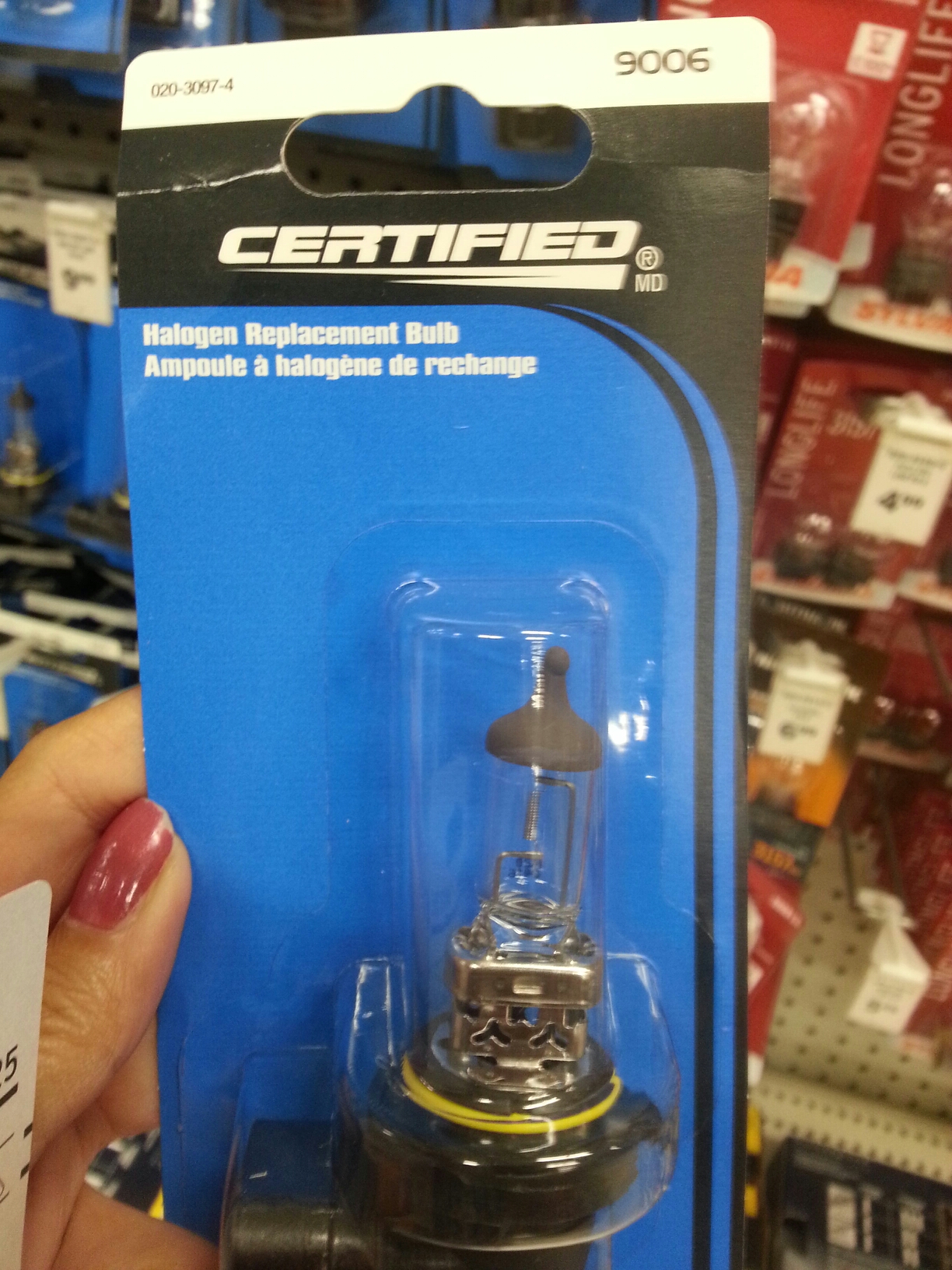
I drive a 2006 Toyota Camry which was originally my dad’s. It’s had a lot of mileage already and quite a few dents and scratches, but still in great shape. Back a few months ago in March when it was still winter, I had the unfortunate event of having one of my low beam headlights burn out. It wasn’t so bad, I thought. I still had my other headlight on and the other side had the park light on as a backup. After a couple of weeks of not replacing it (just didn’t have time to get it done and winter makes you lazy) and getting pulled over by a cop informing/reminding me to get my busted headlight replaced, I (with the help of my SO) finally replaced it for the cost of only ~$10! If you ever need your headlights changed, you are better off doing it on your own, rather than having to pay at least $20 per headlight – just for labour! So that’s a total of at least $30 per light! Yes, you read that right. I went to Canadian Tire where I bought the light bulb and asked them how much to get it replaced and that was the labour fee I was quoted.
Two days ago, one driver pulled up beside me while the traffic was stopped and was looking my direction trying to tell me something so I rolled down the passenger side window. He was nice enough to tell me that both my brake lights were out. I actually knew about one of them being out about a month ago when a coworker told me about it when he saw it, but I just forgot about it. So yesterday, I finally went out and bought brake lights for my car and replaced them right away (again with the help of my SO). Pretty easy actually.
Here’s a guide on the light bulb sizes for the 2006 Toyota Camry [Reference: ModifiedLife]:
Low Beam Headlamp Light Bulb Size:
9006
High Beam Headlamp Light Bulb Size:
9005
Parking Light Bulb Size:
2825
Front Turn Signal Light Bulb Size:
4157LL
992 (7440A)
Rear Turn Signal Light Bulb Size:
4157LL
992 (7440A)
Tail Light Bulb Size:
3057
Stop Light Bulb Size:
3057
High Mount Stop Light Bulb Size:
921
Fog/Driving Light Bulb Size:
9006
License Plate Light Bulb Size:
2825
Back Up Light Bulb Size:
921
Front Sidemarker Light Bulb Size:
2825
Rear Sidemarker Light Bulb Size:
2825
Glove Box Light Bulb Size:
168
Map Light Bulb Size:
168
Dome Light Bulb Size:
DE3022
DE3175
Trunk/Cargo Area Light Bulb Size:
168
DE3021
YouTube Videos on How To Replace the Bulbs:
I also need to replace my front sidemarker light bulb on the right side but I haven’t figured out how to do it yet. I did not find any videos yet for or close to my model car. I will update this post once I am able to replace it already.


 Tech-Life in Pink