Tech
shomi Now Available in Beta Trial for Rogers and Shaw Customers #readysetshomi
 shomi, the new video streaming service in Canada, was launched last Tuesday, November 4, 2014. It is available in beta trial first to Rogers and Shaw Internet or TV customers. Eligible Rogers customers can sign-up for a 30-day trial, after which will be $8.99 per month. If you only want to test it out, make sure to cancel at anytime before the 30 days are up.
Past seasons of current hit TV shows which are not available on any other streaming service (like Netflix) are available on shomi such as 2 Broke Girls, Revenge, New Girl (a few of the shows I watch). Other shows include American Horror Story, The Blacklist, Modern Family, The Originals, Rookie Blue, Sleepy Hollow, Shameless, Sons of Anarchy, and Vikings. 30% of the content will be Canadian content (both TV shows and movies). If you’re not sure what to watch, shomi has trailers, Rotten Tomatoes ratings, and factoids to help you in deciding what to watch.
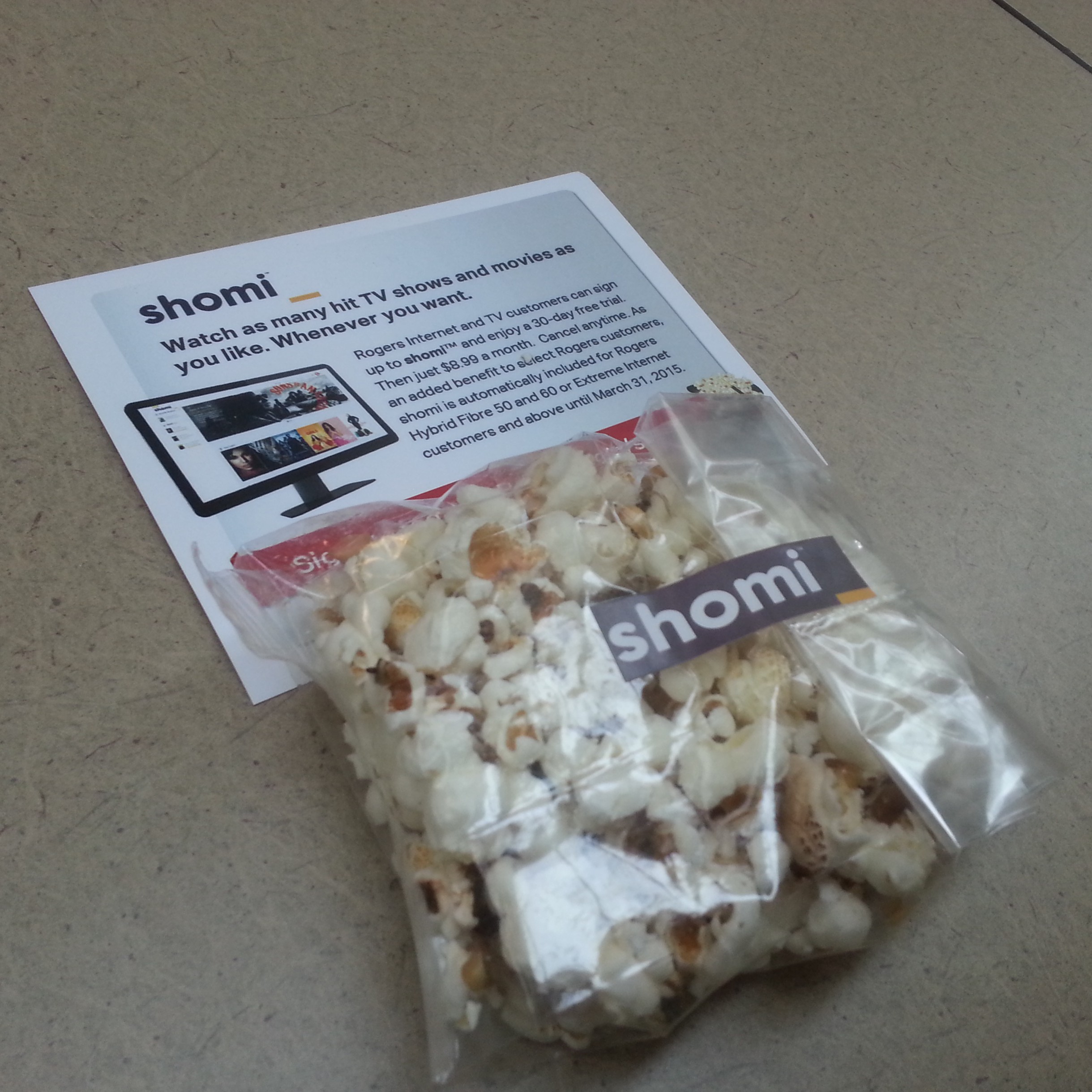 So some may ask, what’s the difference between shomi and content on Rogers On Demand (ROD) or Rogers Anyplace TV (RAPTV)? ROD and RAPTV have access to multiple seasons of shows, as well as the currently-aired season, and newly-released movies the same day they are released on DVD. To access these however, customers must be subscribed to those channels airing those shows within their cable TV package, or pay on a per movie basis (for movie rentals). On the other hand, subscribers to shomi will have access to all video content available within shomi. shomi is complementary to the digital TV, ROD, and RAPTV services, not a complete replacement.
If you want to watch/subscribe to shomi on your Rogers set-top-box, it is available on channel 300 everywhere it’s offered, as well as on NextBox channel 100 in Ontario.
For more information on shomi, check out shomi.rogers.com or shaw.ca/shomi.
Related Articles:
Popcorn and Magic, Art and Science…its Showtime! [Rogers Redboard]
“shomi” the new way to watch TV for Canadians
Disclosure: I work for Rogers, however, all the opinions on this site are my own and do not in any way reflect my employer’s.
New Features for BBM Include Timed Messages and Message Retraction for More Privacy and Control
 BlackBerry released new features for BlackBerry Messenger (BBM) on Friday, October 31, 2014 which include Timed Messages and Message Retraction. This allows users to have more privacy and control over their messages.
With “Timed Messages”, similar to popular photo messaging app Snapchat, you can set a timer to control how long messages and pictures you share can be viewed within BBM. The message is hidden until the recipient touches and holds on the chat. Once the timer expires or if the recipient takes their finger off the screen, the message is no longer visible. The user also receives a notification if BBM detects that the recipient has taken a screenshot of the image or message. Only thing is, if the recipient has another phone/camera handy, of course they could still take a picture of the picture/message without you knowing it.
With “Message Retraction”, users can now retract messages from their BBM chat before it will be read by the recipient, or even after it has been read so that it will no longer be visible within BBM.
The premium features will be available to BBM users for free for the next three months, after which will be offered as part of a broader bundle of features with a BBM subscription.
Other new features include a quicker sticker picker, HD Picture Transfer, and the ability to see what music your contacts are listening to in BBM Feeds.
Check out this video showing how the new features can be useful:
Phones That Are Confirmed to Get the Android Lollipop Software Update

Android Lollipop, the Android software version 5.0 formerly simply known as Android “L”, has been reported to have a November 3, 2014 release date. No official date has been announced yet by Google however.
The features included in the update include the following:
- A bold, colorful, and responsive UI design for consistent, intuitive experiences across all your devices
- New ways to control when and how you receive messages – only get interrupted when you want to be
- A battery saver feature which extends device use by up to 90 mins
- Use Android Smart Lock to secure your phone or tablet by pairing it with a trusted device like your wearable or even your car
- Multiple users for phones. If you forget your phone, you still can call any of your friends (or access any of your messages, photos etc.) by simply logging into another Android phone running Lollipop.
- Guest user for phones and tablets means you can lend your device and not your stuff
- New handy controls like flashlight, hotspot, screen rotation and cast screen controls
- Improved network handoffs resulting in limited interruption in connectivity. For example, continue your video chat or VoIP calls without interruption as you leave the house and switch from your home Wi-Fi back to cellular
- Even if your screen is off, you can say “OK Google” on devices with digital signal processing support such as Nexus 6 and Nexus 9
The above are just a few of the features available on the latest upcoming update. Keep in mind that not all Android devices will get the software update at the same time. Here is a list of what phones have been confirmed (or almost confirmed) to get the update:
- Google Nexus 6 will come with Android 5.0 already installed.
- Nexus 5
- Nexus 4
HTC
- HTC One M8
- HTC One M7
- Both phones will get the upgrade within 90 days of the software’s final release.
LG
- LG G3 will get the update before the end of the year (not completely confirmed)
- LG G2 will get the update in early 2015 (not completely confirmed)
Motorola
- Moto X
- Moto G
- Moto G LTE
- Moto E
- Droid Ultra
- Droid Maxx
- Droid Mini
Samsung
- Galaxy S5 will get the update by December 2014 (not completely confirmed)
- Galaxy Note 4
- Galaxy S4
- Galaxy Note 3
- Above Samsung phones not completely confirmed at this time.
References:
“Android 5.0, Lollipop”. Android.com. Retrieved October 26, 2014.
Eadicicco, Lisa (October 26, 2014). “Here Are All The Phones Confirmed To Get Google’s Massive Android Update”. Business Insider. Retrieved October 26, 2014.
BlackBerry Passport for Professionals On-the-Go
 Last Wednesday, October 1, 2014, I was able to get my hands on a BlackBerry Passport for a quick try at a demo booth at my workplace. Surprisingly, I liked the feel of the device in my hands even with its unusual dimensions of 5.04 x 3.56 x 0.36 inches and square touch display, which is wider than what other smartphones and phablets are today.
The keyboard size felt right and was easy to type on. Keyboard is a tad bit different from the original BlackBerry keyboards in their previous older phones, with the numeric, Alt, and Shift keys now found on-screen instead. The spacebar is also smaller now since it is squeezed in between the bottom row of letters. To get to the home screen, you would need to swipe up from the middle of the keyboard to the middle of the screen. This would take a little bit of getting used to. Once in the home screen, you can access the apps by swiping left on the screen.
I liked how websites looked on the web browser, definitely a huge improvement comparing to how it was on the older BlackBerry Curve or Bold for example. It displays the full desktop version of sites well. I can’t give a comparison to the browser on the Z10 or Q30 however as I haven’t personally tried them out myself on these. One nice thing to point out with using the browser on the Passport is that when you rotate the phone on its side, you can use the keyboard as a scroll bar, so that means you won’t have to cover any part of the screen with your finger while scrolling.
 The BlackBerry Passport includes an app called the BlackBerry Hub, which is where your email, SMS/MMS, BBM messages, calls/voicemails, calendar events, social media messages and notifications such as Facebook, Twitter, LinkedIn, can be consolidated in one view for easy access and response. I liked it that it gives you that convenience, except I personally wouldn’t want my personal social media accounts included in the mix.
Another built-in app is called the BlackBerry Blend, which allows you to access the contents of your device (emails, text messages, BBM messages, calendar, files) from a computer or tablet with internet access. I didn’t get to try it out though so I can’t say if the interface is good or not.
I like how documents, spreadsheets, and presentations display well on the device, so I think this, as well as the email app (BB Hub), will definitely be beneficial for professionals on the go. As accessing some sites on the internal corporate network is required for some professionals, how well the VPN works on the phone is also important. I’m not sure how it is on this phone and I’ve never used it on my old BlackBerrys before either, but it would be great if it works well. I think I’ve tried using VPN on the BlackBerry PlayBook before and I think it worked okay.
I think I’d love having this as a work phone, which is exactly what BlackBerry had in mind when creating this phone — made for corporate users.
I would still like to keep a separate personal phone though. How about you, do you see yourself using this phone?
Official BlackBerry Passport Unboxing Video
Related Article: Keep your Passport on you at all times! [Rogers RedBoard]
Mink – The 3D Makeup Printer
I like makeup but I wouldn’t exactly spend a ton of money on it.
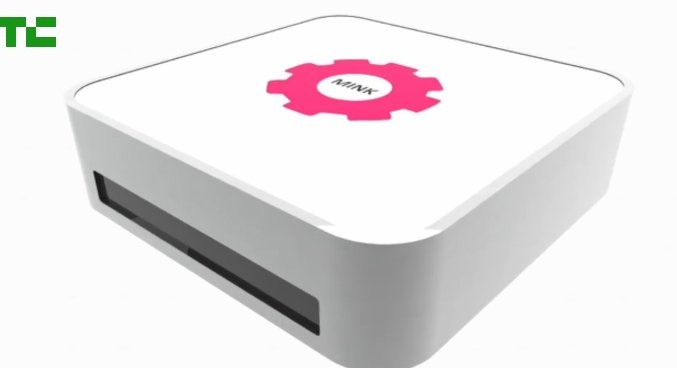 A few months ago in May, one of the product innovations that was presented at the TechCrunch Disrupt 2014 conference was Mink. Mink is a 3D makeup printer invented by Grace Choi, 31, a Harvard Business School graduate. Basically, it involves using a regular home printer with FDA-approved ink to make eyeshadow, lipstick, or nail polish in any shade you can imagine, or copy from the internet. So, what this means is consumers will have a way to get inexpensive makeup!
With this idea, Mink could potentially disrupt the entire beauty market. Choi wants to make a beauty revolution first, and a business second. She wants to be able to teach the world how to make its own 3D makeup printers from home.
She’s definitely got a pretty cool idea and I wouldn’t mind trying this out myself.
Watch the videos about Mink below:
Print Your Own Makeup at Home with Mink – Disrupt 2014
Hack Your Own Mink – Happy Minking! 😉
Photo Credit: TechCrunch
- ← Previous
- 1
- …
- 5
- 6
- 7
- Next →
 Tech-Life in Pink