Gadgets
Unboxing the BlackBerry PlayBook
I received a BlackBerry PlayBook as a present in September. Around this time, I also sold the HP Slate (which I adored). Although I really liked to keep that HP Slate, I had to say goodbye to it. I have a BlackBerry Bold as my phone, so having the PlayBook was perfect for me.
The BlackBerry PlayBook is a tablet computer made by Research In Motion (RIM) which was released in April 2011 in Canada and the United States. The device runs on Blackberry OS, which is an operating system based on QNX Neutrino.
Here are pictures of the unboxing of my BlackBerry PlayBook.
Samsung Infuse 4G VIP Tour Party (Canada)
I got an invite to the Samsung Infuse 4G VIP Tour Party held at Brant House on 522 King Street West, Toronto last July 19, 2011. It was one fun night – music, food, games, prizes – and of course we got to test out the various Samsung products including the Galaxy Tab, and phones (Galaxy SII, Infuse, etc).

The Samsung Infuse 4G is an Android smartphone which features a 8–16 GB internal Flash memory, a 4.5 inch 480×800 pixel Super AMOLED Plus capacitive touchscreen display, a 8-megapixel camera and a 1.3 megapixel front-facing camera. In Canada, it comes shipped with Android 2.3.3 Gingerbread and capable of 720p video recording and was released in July 2011 by Rogers Wireless.
HP Slate – It’s worth it.
The HP Slate (or HP Slate 500) is a Windows 7 slate PC with multi-touch capabilities. I got my own last April 2011 and I love it. As with all other devices, it has some pros as well as cons. Let me share my thoughts on this device based from my experience with it so far.
Pros
It is very portable; smaller than a laptop or netbook. It is light enough to be used like an e-reader (think Kobo or Kindle). It runs on a Windows environment, which means most of the applications/programs you are currently using at home or at your work computer can be installed and used on this. It has a multi-touch interface which means you can do stuff right there on the screen without needing a stylus pen (although it comes with one). 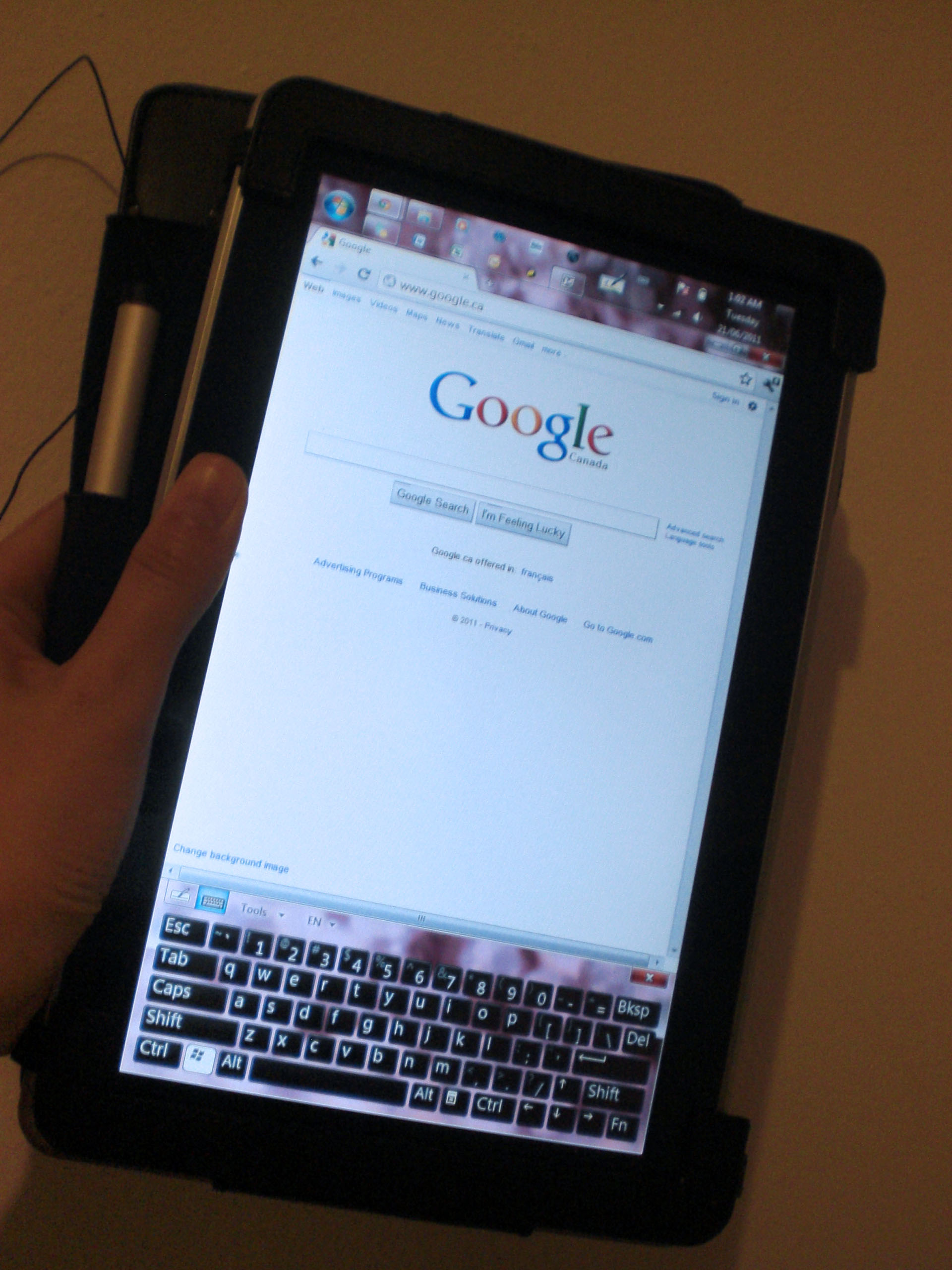
Cons
It is not as light as the Apple iPad or BlackBerry Playbook, or other tablets for that matter, which could be a disadvantage for some because some people want a tablet/slate PC to be extremely light. It doesn’t really have a specialized interface either for touch, unlike the iPad or Playbook which have some apps which makes tasks or viewing of data easier on them. The screen also isn’t as responsive to touch as I’d like it to be, especially since I tend to have sweaty fingers at times. Also, it only has a 64GB internal hard drive and doesn’t have cellular network capability (3G).
Verdict
Of course, despite of its cons, I still think the HP Slate is a great product. It is more targeted for professionals who need to work on the go from time to time, if not all the time. It is useful for logging into work through VPN using a Cisco client. It can run simulators which I can use for practicing for my CCNA (though I have yet to install it). I can use the standard Microsoft Office programs on it (or Open Office if you prefer). I can also install Adobe Photoshop (or whatever else) on it if I prefer, but that one can be memory extensive, so never mind. With regards to the small internal hard drive capacity, you can obviously connect an external hard drive to it for additional capacity through the USB port. Also, with the availability of internet sticks, you can use the Slate on the 3G network by plugging the stick in the USB port; or tether to it if you have a BlackBerry (as I do) or iPhone.
So despite quite a number of cons, there are still a good number of pros for this device, and that is why I chose to have it.
The HP Slate 500 can be purchased directly on the HP site ($799), or eBay if you want it cheaper.
Also, coming soon from HP: the TouchPad which is more like the iPad or Playbook, and more targeted to regular consumers.
Unboxing the Nokia N8
WOM World/Nokia contacted me again if I wanted to trial a Nokia N8. I gladly accepted and I got the Nokia N8 by courier two days ago. Here are photos of the unboxing. Review on the product in another post coming soon.
I Love the Nokia Booklet 3G
This has been a long overdue post. Anyway, back in June 2010, I looked into the WOMWorld/Nokia website and sent a request to trial a Nokia Booklet 3G. I was excited on seeing and getting my hands on this product since I am a Nokia fan. I’ve owned several Nokia phones before and have been impressed by them, so I was curious to find out if this product (which is something new for them as they only normally make phones) would be a good one as well.
The Nokia Booklet 3G is about the size of a netbook, however Nokia doesn’t refer to it as such. They refer to it as a mini laptop.
When I first unboxed the product, I was impressed with how it looked. I fell in love with it at first sight. It had a sleek shiny black top exterior. Then when I opened it, I liked the 10.1-inch HD glass display, and the matte aluminum chassis which measured at only 2cm thin. It was also very lightweight as expected (2.7lbs).
-More after the jump-
This product has Windows 7 running on an Intel Atom 1.6GHz processor with 1GB DDR2 memory and a 120GB hard drive. The expected battery life is about 12 hours. When I tested it, I think I had it running for about 10 hours and I only had a couple browser windows open. I would say that’s really pretty good. I could have tried playing a movie on it to see if it would make a big difference on the battery life, but I was too busy to test it out like that.
One thing I liked about this mini laptop was that it was capable of running on a 3G cellular network just by inserting a SIM card in it. I have a Rogers SIM with a data plan so I tested it out with this. It worked really well right away, no need to configure anything! (See screenshot below). It is capable of download speeds up to 10.2 Mbps.
-More after the jump-

It has three USB ports, an HDMI output port, and comes with the usual Bluetooth and WiFi connectivity, which is good. It also has an integrated A-GPS which I didn’t really get to try out. The A-GPS works with the Nokia Ovi Maps. Amazingly, the Booklet 3G ran very quietly, especially since it had no fan.
The Nokia Booklet 3G isn’t available in Canada although it’s been released in the US since last year. Retailers sell it for about $600, which I think is a little bit pricey. If it was in the $400 range, it’ll probably be worth buying it.
The overall rating I would give this product is 4.5 stars out of 5.
 Tech-Life in Pink
